
Animate a portrait photo
Start with Gentle portrait for a soft blink, breathing or a small change in expression. The sample shows restrained motion with the framing still recognizable.
Choose a motion recipe
Golden-hour portrait · Gentle portrait
Add a slow blink, a small smile, and a faint breeze through the hair. Keep the face, background, and framing steady.
Compare the original photo and animation
AI-generated example
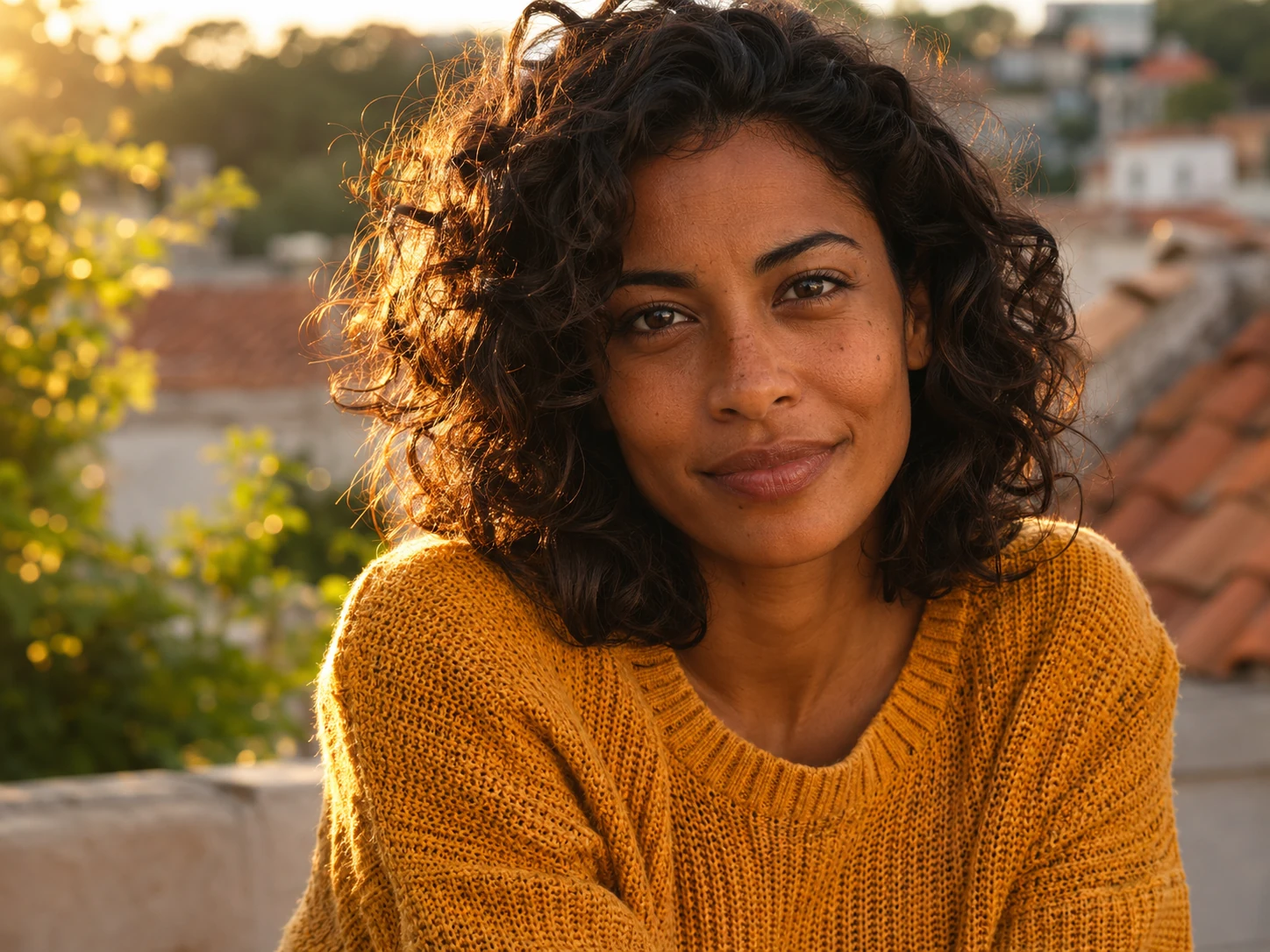
AI video made from the golden-hour portrait: she blinks and her smile warms while sunlit curls stir.
Golden-hour portrait
A blink, a warmer smile and a few curls catching the breeze.
Prepare your portrait
- Use one clearly visible face
- Choose a well-lit portrait with eyes and mouth in focus. Avoid tiny or partially covered faces.
- Leave space around the head
- Keep the hair and chin inside the frame. A crop that cuts just against the face leaves less room for subtle movement.
- Describe one small gesture
- A slow blink or a slight smile fits a short silent clip. Asking for several expressions gives the model more to guess.
Frequently asked questions
How can I keep the face recognizable?
Start with a sharp portrait where the eyes and mouth are visible. Ask for a blink or a small smile and tell the model to keep the face and camera steady. The result can still vary.
Can I make a person talk from one portrait?
This tool creates a silent MP4 of about five seconds. A subtle expression or small head movement suits the portrait recipe.
Animate photo