
Animate a Photo
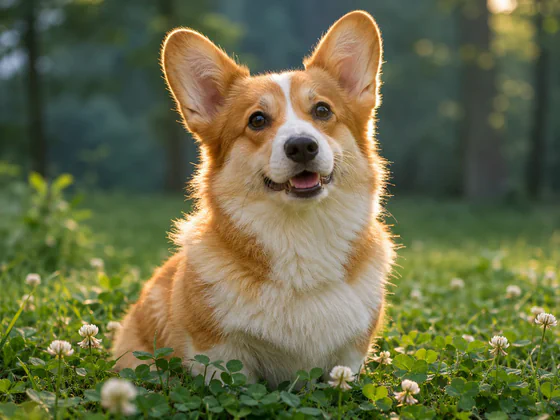
 Original
A curious corgi · Natural motion
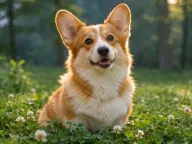
The inset shows the original photo.
See a photo come to life
Drag across a published example to see exactly what changes. Then take the same recipe to your own photo.
What changed in this clip A blink, a playful head tilt and one ear twitch before it settles.
Now try it on your photoNatural motion
“Let the corgi blink, flick one ear, and tilt its head slightly. Keep the fur markings, camera, and garden background still.”
Edit the direction on this page. If you already have text, choose whether to add to it or replace it.
If the head tilt changes the pose, ask for a small ear flick and keep the paws still.
From a still to a short video
Add one photo
Drop in a JPG, PNG or WebP up to 4 MB. A clear subject in good light moves most naturally.
Checked in your browser before anything is sent
Choose how it moves
Pick one of five motions, such as Gentle portrait or Slow push-in, add a short direction if you like, then choose Standard or HD.
Standard 25 points, HD 125 points
Keep your video
Get a silent MP4 of about five seconds, saved privately in My videos to watch or download again.
A confirmed failed video returns its points
What should move in your photo?
When turning a picture into a video, choose a photo with one clear subject. Ask for one small motion and say what should stay still.
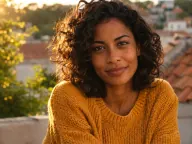
Animate a portrait
View photo guide- Photo
- A clear, front-facing face with the hair and chin inside the frame.
- Try
- A slow blink that relaxes into a small smile.
- Keep
- The face shape, the background and the framing.
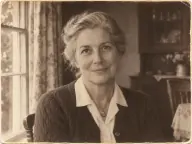
Animate old and family photos
View photo guide- Photo
- A sharp scan, or a straight-on phone photo of the print cropped to the people.
- Try
- A gentle breath and one soft blink.
- Keep
- The paper tone, the grain and any wear on the print.
Animate a pet photo
View photo guide- Photo
- A sitting or resting pet with both eyes and ears in view.
- Try
- One ear flick and a small tilt of the head.
- Keep
- The fur markings and the background.

Animate an illustration
View the illustration example- Photo
- An illustration with one clear subject and a simple background.
- Try
- A slow pulse of light while the water drifts.
- Keep
- The linework, the colors and the painted texture.
Good to know
More answers on the help page.
What kinds of pictures work best?
Which files can I upload?
What do I get?
How long does a video take?
How do points work?
Who can see my photos and videos?
Can I animate photos of other people?
Is “Preview motion” the real video?
Does choosing a recipe replace my photo or start a video?
Can I combine my own direction with a recipe?
Can I use my video as a GIF?
Pricing
All pricesOne-time · Hobby
$6.90USD · one-time
500 points
no renewal · Valid for 3 months
Monthly · Basic
$9.90USD / month
1,200 points / month
Renews every month until you cancel. Canceling in Billing keeps the month you’ve already paid for.
Yearly · Basic
$83.90USD / year
1,200 points / month
One payment covers 12 months, and your points arrive each month. Cancel renewal any time; the year you paid for continues.
See what one photo can do